smartfilming

Exploring the possibilities of video production with smartphones

#19 Stabilizing shaky video footage on your smartphone (incl. Update 2021) — 5. October 2019

#19 Stabilizing shaky video footage on your smartphone (incl. Update 2021)

The fact that nowadays pretty much everyone owns a smartphone and shoots video with it has brought a gigantic wave of shaky handheld footage along. While some folks are actually allergic to any kind of shakiness in video, I personally think that depending on the amount and context it can work just fine – but definitely not all the time and under any circumstances. So there is a need to stabilize shaky handheld footage. Now the best thing to get smooth n’ stable footage is to avoid shakiness in the first place while shooting. While there are techniques for shooting (more) stable video handheld, the most common thing would be putting the phone on a tripod (using any kind of rig or clamp for mounting it). But maybe you want to move around a bit? More and more smartphones do have internal stabilization, be it on the hardware side with OIS (optical image stabilization) or on the software side with EIS (electronic image stabilzation). Over the last years there has also been a considerable and increasingly affordable influx of (motorized) gimbals that allow smooth camera movements. But let’s be honest: Unless you’re going to a planned shoot, you probably won’t carry around a tripod or gimbal (if you have one) – as compact as they have become over time, they are still too big and clunky to just put in your pocket. So it’s likely that you will find yourself in situations where you shoot video handheld and want to smooth out some distracting jitter afterwards. While most desktop video editing software has a built-in stabilizer function these days, things don’t look quite as bright on mobile but there are still a few (good) options.

Read On
#18 The Xiaomi Pocophone F1 – THE best value videography smartphone? — 19. June 2019

#18 The Xiaomi Pocophone F1 – THE best value videography smartphone?

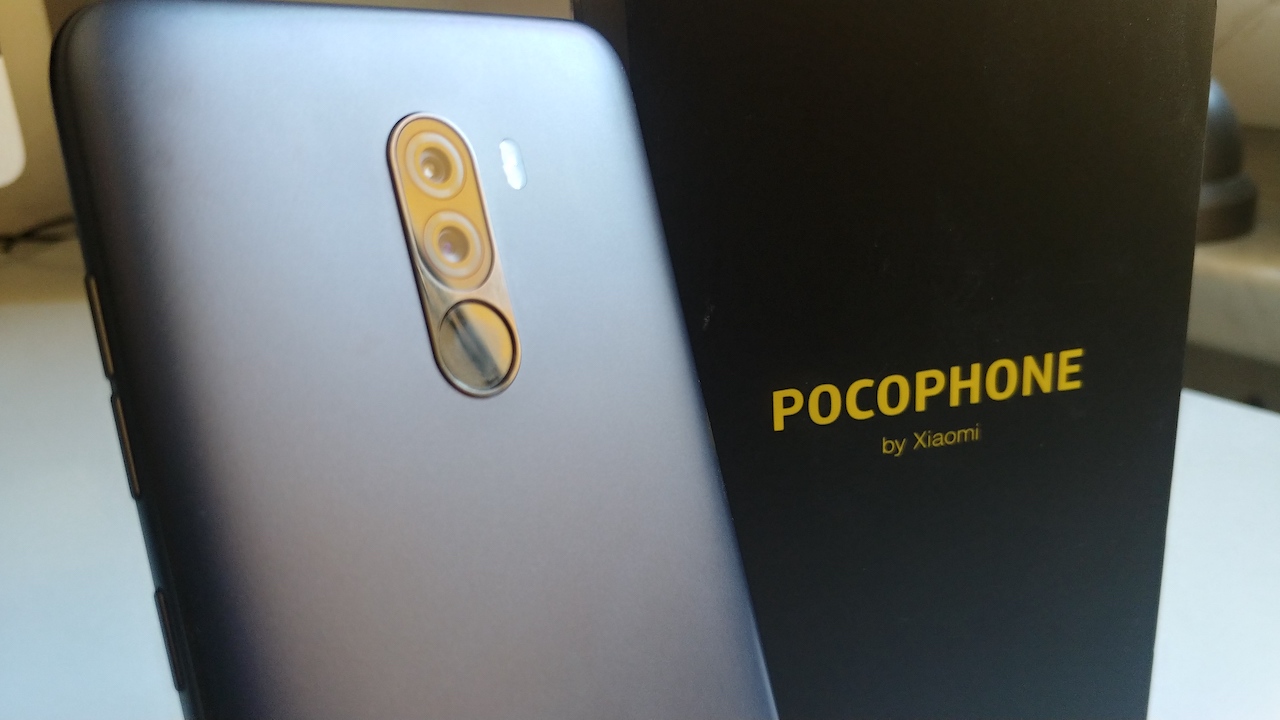
Do you remember OnePlus marketing its phone(s) as the „flagship killer“? A device with all the bells and whistles of a top-of-the-line smartphone but only about half the price? A device that would kill the demand for the very popular but also very expensive flagship phones of Apple, Samsung & Co.? Well, while OnePlus is still a very common name when it comes to getting the best phone bang for the buck, 2018 brought about a new kid on the block that some dared to call the „flagship killer killer“: The Pocophone F1. Wait, the what-phone? Yeah right, Pocophone! It’s actually not another whole new company venturing into the smartphone business but a sub-brand of Xiaomi, the Chinese company already well established in its home market but also slowly expanding around the globe. It’s basically what the Honor phones are for Huawei. The fact that recent phones from OnePlus couldn’t quite withstand the general price bump in the high-end segment kickstarted by Apple’s iPhone X in 2017 introduced an opportunity for someone else to cater to the crowd that wants great specs but isn’t willing to spend a fortune. Enter: the Pocophone F1. When it launched in August 2018 you did get a device with the year’s latest flagship chipset from Qualcomm, the Snapdragon 845, for a crazy low price of just over 300€, undercutting OnePlus (and everyone else’s flagships) by a significant margin. Does this mean the Pocophone F1 could be the new Holy Grail for great smartphone video production on a budget? After using it for a couple of months as a secondary device I would like to share some thoughts. Please note: I will look at this phone pretty much exclusively from the viewpoint of using it as a videography tool!

Continue reading

#17 Using external microphones with Android devices when shooting video — 28. March 2019
#16 Six months with the LG V30 – a dream come true for smartphone videographers? — 3. January 2019

#16 Six months with the LG V30 – a dream come true for smartphone videographers?

LG V30 with transparent protection case

A little more than six months ago I bid my LG V10 goodbye into retirement. The V10 was the first flagship smartphone I had purchased and I had done so for a very specific reason: LG had redefined what a stock/native camera app on a smartphone can offer in terms of pro video controls. While many other phone makers were including advanced manual controls for photography in their camera apps, video had been shamelessly ignored. With the introduction of the V-series in late 2015, LG offered avid smartphone videographers a feature pack in the native camera app that could otherwise only be found in dedicated 3rd party apps like FilmicPro. While LG’s smartphone sales can’t really compete with the ones from Samsung, Huawei and such, the V-series fortunately didn’t just vanish after the V10 but was succeeded by the V20, V30, V35 and V40 henceforth. As I don’t see the need to upgrade my phone on an annual basis, I went for the V30. It took over the useful dual rear cameras from the V20 and newly introduced features like LOG profile, Point Zoom and CineVideo. After spending six months with the V30, what is there to say about the device as a videography tool?

Continue reading

#15 A selection of Android apps for media production — 29. May 2018

#15 A selection of Android apps for media production

Back in February I published a list with a wide selection of (potentially) useful Android apps for media production. Despite the fact that I mostly write for this blog in English now, the list was published in its German version first. I did promise an English version however and I’ve been working on it ever since. The new English version is not just a translation, it’s actually an update with some apps having been kicked out and others added.

Continue reading

#14 “Shediting” or: How to edit video already while shooting on a smartphone — 17. May 2018

#14 “Shediting” or: How to edit video already while shooting on a smartphone

UI of Motorola’s native camera app (“MotoCam”) while recording video. Bottom right is the “pause” button that will let you pause the recording and resume it later if you don’t leave the app.

When using a headline like the one above, camera people usually refer to the idea that you should already think about the editing when shooting. This basically means two things: a) make sure you get a variety of different shots (wide shot, close-up, medium, special angle etc) that will allow you to tell a visually interesting story but b) don’t overshoot – don’t take 20 different takes of a shot or record a gazillion hours of footage because it will cost you valuable time to sift through all that footage afterwards. That’s all good advice but in this article I’m actually talking about something different, I’m talking about a way to create a video story with different shots while only using the camera app – no editing software! In a way, this is rather trivial but I’m always surprised how many people don’t know about it as this can be extremely helpful when things need to go super-fast. And let’s be honest, from mobile journalists to social media content producers, there’s an increasing number of jobs and situations to which this applies…

Continue reading

#13 The Xiaomi Mi A1 – A good budget option for mobile videography? — 9. May 2018

#13 The Xiaomi Mi A1 – A good budget option for mobile videography?

The Xiaomi Mi A1 is Xiaomi’s first “officially” internationally available phone.

Xiaomi has been a really big name in China’s smartphone market for years, promising high-end specs and good build quality for a budget price tag – but only at the end of last year did they officially enter the global scene with the Mi A1. The Mi A1 is basically a revamped Mi 5X running stock Android software instead of Xiaomi’s custom Mi UI. It’s also part of Google’s Android One program which means it runs a ‚clean‘ Google version of Android that gets quicker and more frequent updates directly from Google. For a very budget-friendly 180€ (current online price in Europe) you get a slick looking phone with dual rear cameras, featuring a 2x optical zoom telephoto lens alongside the primary camera. Sounds like an incredible deal? Here are some thoughts about the Mi A1 regarding its use as a tool for media production, specifically video.

Continue reading

#12 Recording video with multiple cameras simultaneously on a smartphone (incl. Update 2021) — 17. April 2018

#12 Recording video with multiple cameras simultaneously on a smartphone (incl. Update 2021)

2017 marked the return of one of THE big pioneers in the history of mobile phones to the smartphone market: Nokia. It’s not really the same company from the days of feature and Windows phones anymore (a company named HMD Global has licensed the brand name for their phones) but that doesn’t mean we should just ignore it. After launching a bunch of affordable entry-level and lower end mid-range devices (Nokia 3, 5 & 6), the Nokia 8 was the first quasi-flagship phone following the brand’s reboot.

Read On
#11 Why ‘Motion Stills’ is a cool tool for fast micro-storytelling on both Android & iOS — 1. April 2018

#11 Why ‘Motion Stills’ is a cool tool for fast micro-storytelling on both Android & iOS

Back in 2016 Google made an iOS-exlusive app (weird, ain’t it?!) called Motion Stills. It focused on working with Apple’s newly introduced ‘Live Photos’ for the iPhone 6s. When you shoot a ‘Live Photo’, 1.5 seconds of video (with a low frame rate mind you) and audio before and after pressing the shutter button is recorded. You can think of it as a GIF with sound. What Motion Stills does is that it lets you record, stabilize, loop, speed-up and/or combine ‘Live Photos’. In 2017, Google finally brought the app to Android. Now while some Android phone makers have introduced ‘Live Photo’-like equivalents, there’s no general Android equivalent as such yet and because of that the app works slightly different on Android. Instead of ‘Live Photos’ you can shoot video clips with a maximum duration of 3 seconds (this also goes for pre-6s iPhones on iOS). There are also other shooting modes (Fast Forward, AR Mode) that are not limited to the 3 seconds but for this post I want to concentrate on the main mode Motion Still.

Continue reading

#10 Important update on the subject of Camera2 API — 26. March 2018

#10 Important update on the subject of Camera2 API

So some time ago I made a blog post about the topic of Camera2 API on Android devices and why it is important if you are interested in doing more advanced videography on your smartphone. If you don’t have a clue about what Camera2 API is, please check out my previous article before continuing to read this. One of the things that my previous article suggested was that you need a device with „Full“ or „Level 3“ Camera2 API support built into the Android OS by the manufacturer of the phone to take advantage of pro video recording apps. If your device has only „Legacy“ or „Limited“ Camera2 API support then you are not able to even install an app like Filmic Pro. However, after recently getting an Honor 6A into my hands, I need to differentiate and clarify some things.

Continue reading

#9 Android-App-Liste zur Medienproduktion mit Smartphones — 23. February 2018

#9 Android-App-Liste zur Medienproduktion mit Smartphones

English preface to this post: Post #9 was supposed to be the 2nd part of the article about native camera apps but something came up so I’m squeezing another one in before delivering the sequel to #8. The reason is an event that’s happening today, February 23rd 2018, in Bochum, Germany: “MoJo Meeting” (Twitter: @MoJoMeeting), a (first time) gathering for the German/German-speaking “MoJo” community (“MoJo” = “Mobile Journalism”), hosted by the NRW Media Lab. While I’m unfortunately not able to participate in person, I have used this occasion to finally finish my extensive and fairly detailed Android app list for multimedia production that I had been working on for quite a while. A 15-page-pdf of the list will be downloadable from this post but the current list is in German. However I’m planning to make an English language version of this list available within the next few weeks.

Continue reading

#8 Bare bones or full featured: best stock camera apps for shooting video on smartphones – PART 1 — 20. December 2017

#8 Bare bones or full featured: best stock camera apps for shooting video on smartphones – PART 1

One of the first steps when getting more serious about producing video content with a smartphone is to look at the more advanced video recording apps from 3rd party developers. Popular favorites like „FilmicPro“ (available for both Android and iOS) usually offer way more image composition controls, recording options and helpful pro features that you find on dedicated video cameras than the native stock camera app provided by the maker of the smartphone. While quite a few stock camera apps now actually have fairly advanced manual controls when shooting photos (ability to set ISO and shutter speed might be the most prominent example), the video mode unfortunately and frustratingly is still almost always neglected, leaving the eager user with a bare minimum of controls and options. In 2015 however, LG introduced a game changer in this regard: the V10. For the first time in smartphone history, a phone maker (also) focused on a full featured video recording mode: it included among other things the ability to set ISO and shutter speed, lock exposure, pull focus seamlessly, check audio levels via an audio level meter, adjust audio gain, set microphone directionality, use external microphones, alter the bit rate etc. etc. Sure, for certain users there were still some things missing that you could find in 3rd party apps like the option to change the frame rate to 25fps if  you’re delivering for a PAL broadcast but that’s only for a very specific use case – in general, this move by LG was groundbreaking and a bold and important statement for video production on a smartphone. But what about other phone makers? How good are their native camera apps when it comes to advanced options and controls for recording video? Can they compete with dedicated 3rd party apps?

Continue reading

#7 The cheapest Android phone with relevant pro video specs? — 10. July 2017

#7 The cheapest Android phone with relevant pro video specs?

The Nextbit Robin

I’ve been spending quite some time in the last months doing research on what device could qualify as the cheapest budget Android phone that still has certain relevant pro specs for doing mobile video. While it might be up to discussion what specs are the most important (depending on who you ask), I have defined the following for my purposes: 1) decent camera that can record at least in FHD/1080p resolution, 2) proper Camera2 API support to run pro camera apps with manual controls like Filmic Pro (check out my last post about what Camera2 API is), 3) powerful enough chipset that allows the use of video layers in pro video editing apps like KineMaster and PowerDirector, 4) support for external microphones (preferably featuring a headphone jack as long as there are no good all-wireless solutions available).

Continue reading

#6 What the hell is Camera2 API and why should I know about it? — 17. June 2017

#6 What the hell is Camera2 API and why should I know about it?

(NOTE: I have written a new, updated article on the topic here.)

This blog post is trying to shed some light into one of Android’s fragmentation corners – one that’s mainly relevant for people interested in more advanced photography and videography apps to take manual control over their image composition.

First off, I have to say that I’m not a coder / software expert at all so this comes from a layman’s point of view and I will – for obvious reasons – not dig too deep into the more technical aspects underneath the surface.

REad On
#4 “Insta360 Air”: 360°-Kamera für Android-Smartphones — 14. March 2017

#4 “Insta360 Air”: 360°-Kamera für Android-Smartphones

Die Firma Insta360 hatte bereits vor einigen Monaten eine 360°-Aufsteckkamera für iPhones (Insta360 Nano) herausgebracht, nach einer erfolgreichen Crowdfunding-Kampagne auf IndieGoGo dürfen sich mit der Insta360 Air nun auch viele Besitzer eines Android-Smartphones über einen recht kostengünstigen Einstieg in die langsam an Fahrt gewinnende Welt der 360°-Kameras freuen.

Continue reading

#3 Medienproduktion mit Smartphone & Tablet: CONTRA — 13. January 2017

#3 Medienproduktion mit Smartphone & Tablet: CONTRA

thumbs-down-circle

CONTRA – Was für Nachteile und Probleme kann es geben?

1. Kein optischer Zoom
Smartphones und Tablets können vieles, aber nicht alles. Ein zentraler Schwachpunkt gegenüber regulären (Video-)Kameras ist z.B. der fehlende optische Zoom, mit dem sich weit entfernte Motive näher heranbringen und schnelle/bequeme Einstellungswechsel vornehmen lassen. Kamera-Apps bieten mitunter einen digitalen Zoom an, dieser sollte jedoch im Normalfall nicht verwendet werden, da das Bild nur elektronisch vergrößert wird und die Bildqualität abnimmt. Samsung hat mit dem Galaxy S4 Zoom und dem K Zoom zwar zwei sehr interessante (von der Android-Software jedoch mittlerweile recht veraltete) Smartphones mit 10-fachem optischen Zoom auf den Markt gebracht, auch Asus hat mit dem ZenFone Zoom (3x) ein Experiment gewagt. Der Rest des Marktes muss jedoch (noch) ohne auskommen. Der Grund dafür ist recht simpel: Beim momentanen Stand der Technik würde ein optischer Zoom das Smartphone wesentlich dicker machen als es gerade en vogue ist. Für bestimmte Tätigkeiten ist der Zoom allerdings unablässig. So ist es z.B. bei der Aufzeichnung von Theaterstücken, Sportereignissen und anderen Events oft nicht möglich/gewünscht, für eine Nahaufnahme auf die Bühne oder das Spielfeld zu gehen. Doch auch wenn man die Möglichkeit hat, sich für Nahaufnahmen problemlos näher an ein Motiv zu begeben, ist der Zoom grundsätzlich eine bequemere und schnellere Lösung, was gerade für Journalisten, bei denen es oft auf Schnelligkeit ankommt, sehr von Vorteil sein kann. Aufgrund des fehlenden optischen Zooms muss man Personen mitunter auch sehr nah “auf die Pelle” rücken, um eine Nahaufnahme zu bekommen, was für diese unangenehm sein kann. Nun ist es zwar möglich, speziell für Smartphones entwickelte kleine Teleobjektive mittels einer Halterung vor die Smartphone-Linse zu bauen, dieses Prozedere ist aber nicht immer sehr praktikabel und funktioniert auch nicht mit allen Smartphones (gleich gut). Interessant ist jedoch ein neuer Ansatz mit zwei Kamera-Linsen in der Rückseite des Smartphones, die jeweils eine unterschiedliche Brennweite haben und damit als eine Art optischer Zoom dienen, wenn auch nur in sehr begrenztem Rahmen: Apples neues iPhone 7+ geht diesen Weg, ebenso Asus’ kommendes ZenFone 3 Zoom. Damit kann der Formfaktor des Handys flach gehalten werden, allerdings gibt es wegen der zwei Festbrennweiten (beim iPhone 7+ sind es 28 bzw. 56mm, also ein 2x Zoom) keine Zwischenwerte (also kein kontinuierliches Zoomen) und ein Zoom-Faktor von 2 ist auch nicht gerade weltbewegend.

Continue reading

#2 Medienproduktion mit Smartphone & Tablet: PRO — 29. July 2015

#2 Medienproduktion mit Smartphone & Tablet: PRO

IMG_0822

Technik bietet sich ja bekanntermaßen besonders dafür an, einer leicht irrationalen Faszination zu erliegen und die Dinge einfach nur wegen ihrer unglaublichen Möglichkeiten und Funktionen zu bestaunen – die Frage nach der tatsächlichen Nützlichkeit und Praktikabilität eines neuen Gadgets verschwimmt nicht selten in freudentränendurchnässten Funkelaugen. Im Bereich der Kunst kennt man die Redewendung des L’art pour l’art – der Kunst um der Kunst Willen, ohne eigentlichen praktischen Zweck. Nun ist aber das Smartphone, so wie wir es hier einordnen wollen, keine Kunst. Vielleicht ist das, was man damit kreiert Kunst, aber nicht das Gerät selber. Das Gerät ist vielmehr das Werkzeug, um etwas zu erschaffen (Kunst wäre eine Möglichkeit), und ein Werkzeug – darüber werden wir uns wohl leichter einig als beim Thema Kunstwerk – sollte dann doch irgendwie einen bestimmten Zweck erfüllen. Zudem darf die Frage angeschlossen werden, welchen Mehrwert ein neues Werkzeug gegenüber älteren, bereits existierenden hat. Und hier geht es dann auch schon konkret ans Eingemachte: Was für Vorteile bietet die Medienproduktion mit Smartphones und Tablets im Vergleich mit traditionelleren Gerätschaften wie dezidierten Aufnahme- und Bearbeitungsgeräten (Videokameras, Fotoapparate, Audiorekorder, Schnitt-PC etc.)? Und – das sollte ebenfalls Erwähnung finden – wo liegen die Schwachstellen? Eine hilfreiche Maxime in diesem Gebiet ist auf jeden Fall, dass man idealerweise immer das richtige Werkzeug für den entsprechenden Job hat – und das kann von Fall zu Fall variieren. Das Smartphone ist in vielerlei Hinsicht eine Art “digitales Schweizer Taschenmesser”, welches Unmengen an nützlichen Funktionen in sich vereint – aber ob ein Taschenmesser das beste Werkzeug dafür ist, die größte und gewaltigste Eiche im Wald zu fällen, mag eher bezweifelt werden. Monty Python würde es aber wohl sogar mit einem Hering schaffen. Ein Pro & Contra in zwei Teilen.

Continue reading

#1 Schnitt im Schritt oder: Die faszinierende Idee eines Hosentaschenvideostudios — 28. June 2015

#1 Schnitt im Schritt oder: Die faszinierende Idee eines Hosentaschenvideostudios

WP_20150628_13_08_32_Pro
iPod Touch (2. Generation) mit ReelDirector-App

Im Jahr 2009 kaufte ich mir für das Studium, bzw. genauer gesagt für meine neben dem Studium betriebenen Videoarbeiten meinen ersten iMac. Im Rahmen eines Back-to-School-Angebots gab es damals einen iPod Touch (2. Generation) gratis dazu, vermutlich weil die 3. Generation kurz vor dem Release stand und Apple die frisch veraltete Hardware noch irgendwie unters Volk bringen wollte. Das iPhone war zu diesem Zeitpunkt etwa 2 Jahre auf dem Markt, ich persönlich hatte daran allerdings kein sonderliches Interesse, vor allem der extrem hohe Preis für ein Mobiltelefon schreckte mich ab. Das mobile Internet war mir aus WAP-Zeiten noch etwas suspekt, der größte Reiz bestand damals für mich darin, unterwegs Filme zu schauen, die man sich auf das Geräte geladen hatte. Nun, das ließ sich auch mit meinem neu erworbenen iPod Touch bewerkstelligen, schließlich war dieser mehr oder weniger ein iPhone ohne Telefonfunktion. Nach einer kurzen „Wow“-Phase mit dem Hosentaschenkino landete das gute Teil jedoch recht schnell in einer Schublade, aus der ich es lediglich in sehr unregelmäßigen Abständen wieder hervorholte.

Continue reading